ONLINE TEXT EDITOR
What is Toolerz Text Editor?
Toolerz Online Text Editor is a free web tool that allows users to write, edit, and format text directly in their browser.
Unlike word processors, our online text editor doesn't require any software installation.
It provides a convenient platform for users to handle their text-related tasks efficiently, whether it's writing content, editing documents, or creating newsletters our tool is very useful.
Our Online Text Editor is designed to offer a powerful text editing experience. It has a wide range of formatting options and is compatible with multiple browsers, making it accessible from any device.
How to Use the Tool?
Using our Online Text Editor is very simple and easily understandable. Follow the below steps if you are unaware of the process:
- Visit Toolerz.com: Open your browser and go to our website, www.toolerz.com. Search for Online Text Editor in the search bar.
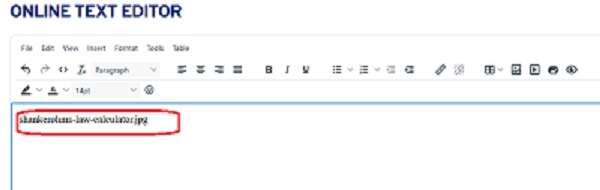
- Enter Your Text: In the editor interface, you’ll find a text box where you can type your content directly or you can also paste text from other sources into the editor.
- Format Your Text: Use the toolbar above the text area to format your content. You can bold, italicize, Headings, underline text, add bullet points or numbered lists, align text, and insert links or images. There are also options for changing the font, size, and color of your text.
- Edit Text: You can cut, copy, and paste text within the editor or make changes by simply selecting the text and applying formatting or deletions as needed.
- Save the Content: Once you’re done editing, you can copy the formatted text for future use.
Benefits of Online Editor Tool
An online editor tool is a convenient and efficient solution for editing text, code, or documents directly in your web browser.
One of its main benefits is accessibility you can use it anytime, anywhere, without the need to install software. It supports various formats, making it perfect for writers, students, developers, and content creators.
These tools often include features like real-time editing, grammar checks, syntax highlighting, auto-save, and export options.
They help improve productivity by offering a clean, user-friendly interface and quick editing options.
Online editors also support collaboration, allowing multiple users to work on the same file simultaneously. Many of them are free, secure, and mobile-friendly.
Whether you're writing an article, editing code, or formatting a resume, an online editor tool makes the process faster and easier. It’s an ideal choice for modern, on-the-go editing needs.
Can I Use This Tool for Editing a Newsletter?
Yes! Our Online Text Editor is perfect for editing newsletters. You can use our tool for below functionalities:
- Format Text: Use headers, bullet points, and numbering to structure your newsletter content.
- Insert Images and Links: Add images and hyperlinks to enrich your newsletter.
- Preview Formatting: See how your newsletter will look as you edit, making it easy to adjust the layout and presentation.
- Save and Export: Once you're done editing, you can download your work or copy the content for distribution via email or publishing platforms.
For image optimization, try our JPG Compressor to reduce file size without compromising quality.
How to Format Text in SEO-Friendly Format
Our editor provides tools to beautify and format text efficiently. Here’s how you can improve your content to make it SEO friendly:
- Headers and Subheaders: Use headings to break your text into sections.
- Lists: Organize points using bullet or numbered lists for easy readability.
- Font Styles: Change fonts, adjust sizes, and apply bold, italics, or underline to emphasize key points.
- Text Alignment: Center, left-align, or right-align your content based on your formatting needs.
How to Ask Google AI a Question?
Asking Google AI a question is simple and straightforward. You can interact with Google AI through platforms like Google Assistant, Google Bard, or even the Google search engine.
To ask a question, you can either type your query in the search bar or use voice commands by saying, “Hey Google” or “OK Google.”
For more advanced interactions, you can access Google Bard or Google Assistant on compatible devices like smartphones, smart speakers, or tablets. Just ask your question clearly, and Google AI will provide a response based on its extensive database and algorithms.
You can ask about anything, from weather updates and calculations to more complex queries like travel recommendations or troubleshooting advice.
Key Features of Online Text Editor
An online text editor is a versatile tool that allows users to create, edit, and format text documents directly through a web browser.
One of its key features is real-time collaboration, enabling multiple users to edit the same document simultaneously from different locations. This is especially beneficial for teams working remotely.
Another significant feature is cloud storage integration, which ensures that documents are automatically saved and accessible from any device with an internet connection, preventing data loss.
Many online text editors also include syntax highlighting and code formatting, making them ideal for developers working with various programming languages.
Moreover, user-friendly interfaces with customizable fonts, styles, and formatting tools make it easy for both beginners and professionals to navigate.
Online text editors are also compatible with various file formats like .txt, .doc, and .pdf, providing seamless file conversions and sharing options. This makes them essential for efficient and collaborative text editing.
Applications of the Online Text Editor
Online text editors are widely used for the following applications
- Content Creation: Useful for writing blog posts, articles, and creative content.
- Documentation: Drafting official documents, reports, or personal notes.
- Newsletters: Efficiently format and design newsletters for your audience.
- Emails: Craft professional-looking emails without needing additional software.
Advantages of Online Text Editor
An online text editor offers several key benefits, making it a popular choice for both personal and professional use.
One major advantage is accessibility—since it's cloud-based, users can work on their documents from any device with internet access, without the need for software installations.
These editors are often simple and intuitive, which makes them ideal for quick note-taking, writing, or editing without distractions.
They also provide the benefit of real-time collaboration, allowing multiple users to work on the same document simultaneously, improving teamwork and productivity.
Moreover, most online text editors come with auto-saving features, reducing the risk of losing your work due to unexpected shutdowns or power outages.
Cross-platform compatibility is another advantage, ensuring that documents are accessible from various devices, be it a laptop, tablet, or smartphone.
You can also explore our Financial Calculator to plan budgets or analyze financial data with ease.
Conclusion of Online Text Editor
In conclusion, online text editors offer a convenient and efficient way to create, edit, and collaborate on documents without the need for complex software.
Their cloud-based nature ensures accessibility from any device with internet connectivity, allowing users to work seamlessly from anywhere.
The real-time collaboration feature enhances teamwork and productivity, making them ideal for group projects and shared tasks.
Additionally, with features like auto-save, version history, and cross-platform compatibility, online text editors provide a secure and reliable writing environment.
For anyone looking for a simple, efficient, and collaborative writing tool, online text editors are an excellent choice.
They simplify document management, streamline workflows, and improve overall efficiency in both personal and professional settings.
With the growing reliance on digital tools, these editors are essential for anyone aiming to stay productive and organized in today’s fast-paced world.
Frequently Asked Questions
Q1. What is the Toolerz Online Text Editor?
Ans: Toolerz Online Text Editor is a web-based tool that allows users to write, edit, and format text.
Q2. How do I use the Online Text Editor for professional writing?
Ans: The editor offers formatting tools like headers, lists, and font options to enhance professional writing.
Q3. Can I save my work while editing?
Ans: No, there is no option to save the edited content in the tool.
Q4. Is there a word count feature in the editor?
Ans: Yes, we have the word count feature in this tool. The word count is displayed at the bottom right of the editor.
Q5. Can I use the Online Text Editor without an internet connection?
Ans: No, since it’s web-based, you need an active internet connection to access the tool.
Q6. What file formats can I export to?
Ans: There is no export option as of now, you can copy and paste into a Word document and share.
Q7. Is my data secure while using the Online Text Editor?
Ans: Yes, your data is processed securely within the editor, and no content is stored on our servers after you close the session.
Q8. Is there a limit to the length of text I can enter?
Ans: There is no limit, but extremely long documents may experience slower performance.
Q9. Does the editor support multiple languages?
Ans: Yes, the editor can handle text in multiple languages
Q10. Can I undo changes in the editor?
Ans: Yes, the editor supports undo and redo options for reversing recent changes.
Q11. Does the Online Text Editor have a spell-check feature?
Ans: No, we don't have a spell check feature but you can add extensions like Grammarly to rectify the grammar mistakes.
Q12. Can I add images or tables in the editor?
Ans: Yes, you can insert images and tables.
Q13. How is an Online Text Editor different from traditional text editors?
Ans: Unlike traditional text editors that need to be installed on your device, an Online Text Editor works in a browser. It often provides additional features like cloud storage, sharing options, and accessibility from any device with an internet connection.
Q14. Can I use an Online Text Editor on my phone?
Ans: Yes, most Online Text Editors are mobile-friendly and accessible on smartphones and tablets. Some platforms may also offer dedicated mobile apps for a better user experience.
Q15. Do I need to download software to use it?
Ans: No, there’s no need to download anything. Just open the website of the online editor tool and start working instantly.
Q16. Are Online Editor Tools free to use?
Ans:Many online editor tools are free, especially for basic editing functions. However, some may offer premium features that require a paid subscription, such as advanced formatting, collaboration tools, or larger file uploads. www.toolerz.com
Q17. Do I need any special technical skills to use an Online Editor Tool?
Ans:No, Online Editor Tools are designed to be user-friendly. You don’t need any advanced technical skills to get started. Most tools have intuitive interfaces and offer tutorials or guides for beginners, making them accessible to everyone.
Q18. Can I use an Online Text Editor for coding?
Ans:Yes! Many online text editors support programming languages such as HTML, CSS, JavaScript, Python, and more. They often include syntax highlighting, which makes it easier to read and write code.
Q19. Why should I use an Online Text Editor?
Ans:It’s fast and easy to use. You can access it from any device with internet, which is great for quick writing tasks, notes, or editing documents on the go.