BASE64 ENCODE & DECODE
What is Base64 Encoding or Decoding?
Base64 encoding and decoding are techniques used to represent binary data in a text format.
It is usually used in scenarios where binary data needs to be transmitted over text-based mediums, such as email attachments, URLs, or JSON data.
Base64 encoding converts binary data into a sequence of printable ASCII characters, while Base64 decoding reverses this process, converting the encoded data back into its original binary form.
How does Base64 Encoding Work:
We have to give binary data as an input parameter to the base64 encoder.
The binary data is divided into chunks of 6 bits each. If the input length is not a multiple of 6, zero-padding is added to the last chunk.
Each 6-bit chunk is then mapped to a corresponding character from the Base64 character set, which consists of 64 characters: A-Z, a-z, 0-9, "+", and "/" (plus optional padding characters "=").
The mapped characters are concatenated to form the Base64 encoded string.
Key Features of Using Base64 Encode Decode
Base64 Encode Decode is a simple yet powerful tool used to convert data into a text format that can be easily stored or transferred.
One of its key features is the ability to encode binary data, such as images or files, into a readable string format. This makes it ideal for embedding data in HTML, CSS, or email content.
Another important feature is easy decoding, which allows the original data to be restored without any loss. The tool supports a wide range of file types and works with both small and large data sets.
It is fast, secure, and often used in web development and data transmission. Most Base64 tools are online, free, and user-friendly, requiring no technical skills.
Overall, Base64 Encode Decode is essential for safe and efficient data handling, especially when working with web applications, APIs, or email systems.
How does Base64 Decoding Work:
The input parameter given in the base64 decoder is a Base64 encoded string.
Each character in the Base64 encoded string is mapped back to its corresponding 6-bit binary value.
The 6-bit binary values are combined into groups of 8 bits each, forming bytes. If padding characters are present, they are ignored during this process.
The bytes obtained from the previous step represent the original binary data that was encoded. This is the decoded output.
All this process was done by our free online Base64 encode decode tool in the backend and provides the result.
Why Use Base64 Encoder/Decoder?
A Base64 Encoder/Decoder is a useful tool that helps convert data into a text format that can be safely shared or stored. Encoding transforms binary data, such as images or files, into a Base64 string, making it suitable for use in URLs, emails, or web pages. This is especially helpful when dealing with systems that only support text data.
Decoding reverses the process, converting the Base64 string back into its original format. This ensures the data is usable again, whether it's an image, document, or other file type.
Using a Base64 encoder/decoder improves data security, compatibility, and transmission efficiency across different platforms. It's commonly used in web development, APIs, and email attachments.
Benefits of Toolerz Base64 Encoder & Decoder
The following are the primary benefits of our Base64 encoder and decoder.
Binary-to-Text Conversion:
Base64 encoding allows binary data to be represented using printable ASCII characters.
This enables binary data, such as images, audio files, or documents, to be transmitted or stored as text, providing compatibility with text-based protocols and systems.
Data Transmission:
Base64 encoding is commonly used to transmit binary data over text-based communication channels, such as email, HTTP, or JSON.
Since many protocols are designed to handle text data, Base64 encoding ensures that binary data can be safely transported without corruption.
URL Encoding:
Base64 encoding is often used to encode binary data in URLs. Certain characters, such as '+', '/', and '=', which are part of the Base64 encoding scheme, may not be valid in URLs.
By encoding binary data using Base64, these characters are replaced with URL-safe alternatives, making the data suitable for use in URLs without causing parsing issues.
Data Integrity:
Base64 encoding can help preserve the integrity of binary data during transmission or storage.
Since Base64-encoded data consists of only printable ASCII characters, it is less likely to be corrupted or altered when passing through systems or protocols that may handle text data differently from binary data.
What Is the Purpose of Base64 Encoding?
Base64 encoding is used to convert binary data, like images or files, into a text format that can be safely transmitted over systems that handle only text, such as email or URLs.
It helps encode complex data using only readable characters (letters, numbers, and a few symbols), making it compatible with web and email systems that might not support raw binary content.
The main purpose of Base64 encoding is data integrity during transmission.
For example, when embedding an image in HTML or sending attachments in email, Base64 ensures the data remains intact without getting corrupted.
It’s important to note that Base64 is not a method of encryption or compression—just a way to represent data in a plain text format.
Although the output is larger in size, Base64 is widely used in web development, APIs, and data serialization to ensure smooth, error-free data sharing across different platforms.
Data Compression:
While Base64 encoding increases the size of the data (by approximately 33%) due to the conversion of binary to text representation, it can sometimes lead to effective compression when combined with text compression algorithms.
This is because text-based compression algorithms, such as gzip, tend to perform better on text data than binary data.
Need to decode tokens? Try our JWT Decoder to extract and analyze JSON Web Tokens effortlessly.
Security:
Base64 encoding is sometimes used in cryptographic applications to represent cryptographic keys, hashes, or digital signatures.
It ensures that binary cryptographic data can be represented in a human-readable format without compromising its security properties.
Data Representation in APIs:
Base64 encoding is most commonly used in APIs to represent binary data, such as image or file attachments, within JSON or XML payloads.
This allows binary data to be included in API requests and responses without violating text-based data interchange standards.
How Does the Base64 Tool Work?
A Base64 tool is used to encode or decode data into a text format that can be easily shared or stored. It’s especially useful for converting binary data, like images or files, into plain text that can be safely used in URLs, emails, or web applications.
When you encode data using Base64, the tool takes your input such as text or file content and converts it into a set of readable characters using a standard Base64 format. This encoded data is secure for transmission and won’t break during the process.
On the other hand, when you decode Base64 data, the tool converts it back to its original form. This is helpful for developers, coders, or anyone working with data exchange.
Simple, fast, and reliable, the Base64 tool makes handling encoded content easy and efficient. No coding skills required just paste, click, and get your result!
For additional encoding needs, check out our URL Encode Decode tool for quick URL transformations.
Applications of Using Base64 Encode/Decode
Base64 Encode/Decode tools are widely used in web development, data processing, and cybersecurity. One key application is converting binary data, like images or files, into a text format that can be safely transmitted over the internet.
This is especially useful when sending data through email or embedding images in HTML or CSS files. Base64 encoding ensures that special characters do not break the transmission or storage process.
Developers also use it to encode login credentials or API keys in basic authentication headers. On the decoding side, Base64 helps retrieve the original data from its encoded form, making it readable again.
It’s a simple yet powerful way to handle data securely and efficiently across different platforms. Available through many online tools, Base64 encode/decode is quick, reliable, and essential for anyone working with data formats, web apps, or secure transmissions.
Frequently Asked Questions
Q1. What is Base64 Encoding and Decoding?
Ans:Base64 encoding is a method of converting binary data into a text format using 64 characters (A-Z, a-z, 0-9, +, /). Base64 decoding reverses this process, converting the text back into its original binary form.
Q2. How does Base64 Encoding work?
Ans: Base64 takes binary data and splits it into 6-bit chunks, mapping each chunk to a character in the Base64 table. This results in a longer but readable text format.
Q3. How can I decode Base64 back to normal text?
Ans: You can use Base64 decoding tools or programming functions to convert the encoded text back into its original form. Many programming languages like Python, JavaScript, and PHP support Base64 decoding.
Q4.Can I use Base64 in web development?
Ans:Yes! Base64 is often used in web development to embed images directly into HTML or CSS files. This helps reduce server requests and can improve load time for small images.
Q5. Does Base64 increase the size of my data?
Ans: Yes, Base64 encoded data is usually about 33% larger than the original. This happens because it turns every 3 bytes of data into 4 characters.
Q6. Is Base64 secure for hiding data?
Ans: No, Base64 is not a security method. It only changes the format of the data, not encrypt it. Anyone can decode Base64 easily. If you want to protect sensitive information, use proper encryption methods.
Q7. Is Base64 encoding secure?
Ans: No, Base64 is not a security method. It only changes the format of the data—it does not hide or protect it. Anyone can decode Base64 easily, so it should not be used for sensitive information.
Q8. Why is Base64 encoding used?
Ans: It is used to make sure that data stays safe and readable when sent through systems that may not support special characters or binary data. Base64 turns complex data into a simple string of letters, numbers, and symbols.
Q9. When should I use Base64 encoding?
Ans: You should use Base64 encoding when you need to send images, files, or other binary data through text-based systems like email, JSON, or HTML. It helps avoid errors or data loss.
Q10. Is Base64 secure for hiding data?
Ans: No, Base64 is not meant for security. It’s just a way to encode data—not to encrypt it. Anyone who understands Base64 can decode the data easily. For privacy, use encryption methods instead.
Q11. How can I encode or decode Base64 online?
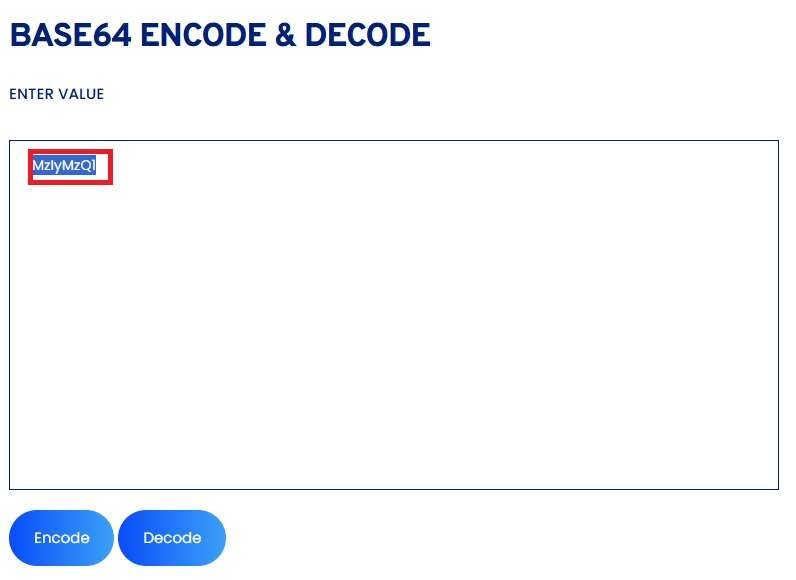
Ans: You can use free online Base64 tools. Just paste your text or upload your file, click "Encode" or "Decode," and you'll get the result instantly.